


CRIMEWATCH
3.489.00 Reviews
App Specs
- Version
- 4.0.2
- Updated On
- License
- Free
- Downloads
- 100,000+
- Developer
- CRIMEWATCH Technologies
- Categories
- News & Magazines
- Platform
- Android
Screenshots
 Analysis by AppCompare
Have you ever wanted to stay informed about the latest crime activity in your neighborhood without sifting through countless news articles or social media posts? Well, let me introduce you to CRIMEWATCH, an app that's making it easier than ever to keep tabs on local crime and safety updates. As someone who's always keen on staying informed, I decided to give CRIMEWATCH a whirl and see what all the buzz is about.
Who gets the most from a local crime feed?
I’d consider this most useful if you live, work, or regularly travel in an area covered by the app and want one place to check local reports. It suits people who prefer scanning a map and incident summaries to searching several news sites or neighborhood social feeds. The practical benefit is focus: instead of following every local headline, you can look for reports relevant to the places and concerns that matter to you.
It’s less suitable if you expect a complete picture of public safety, immediate emergency guidance, or a substitute for contacting local authorities. An incident feed can help me stay aware, but it cannot tell me everything happening nearby, and a report is not a prediction that a particular place is unsafe. I’d use it as one source of context, not as the basis for an urgent decision or a reason to avoid an area automatically.
Getting Started with CRIMEWATCH
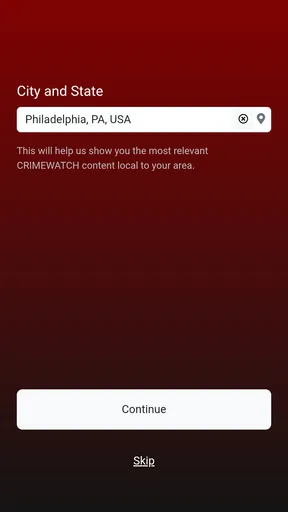
First things first, downloading the app is a breeze. It’s available for both iOS and Android, so no matter what your device preference is, you’re covered. Once you’ve got it installed, you’ll be prompted to create an account. This involves the usual steps—email, password, and confirming your location. I appreciated how straightforward the setup was; no unnecessary hoops to jump through.
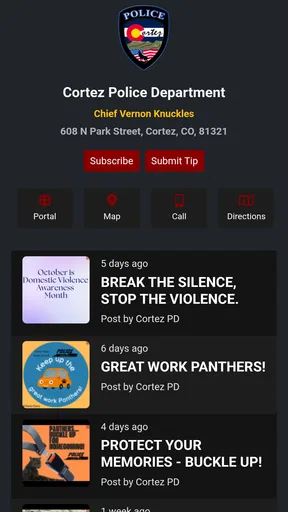
Once logged in, you’re greeted with an intuitive interface. The home screen is clean and organized, featuring a map that highlights recent incidents. The app uses red pins to indicate crime reports, making it visually easy to understand what’s happening around you at a glance. I found this map feature super handy because you can zoom in and out to see more detailed information about each incident.
Features That Stand Out
One of the coolest features of CRIMEWATCH is the customizable alerts. You can set notifications based on the type of crime and the proximity to your location. For instance, if you’re only interested in being alerted about burglaries within a mile of your home, you can set your preferences that way. This was a game-changer for me because it means I’m not bombarded by alerts that aren’t relevant to my concerns.
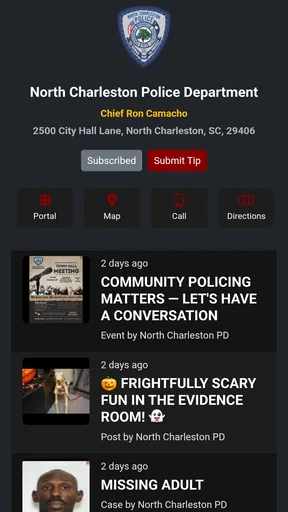
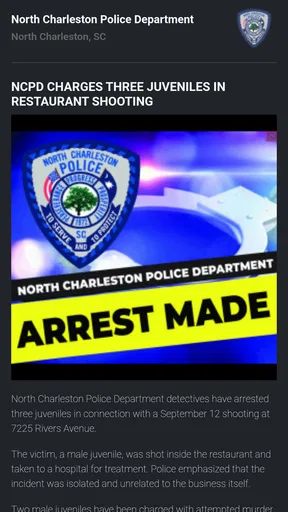
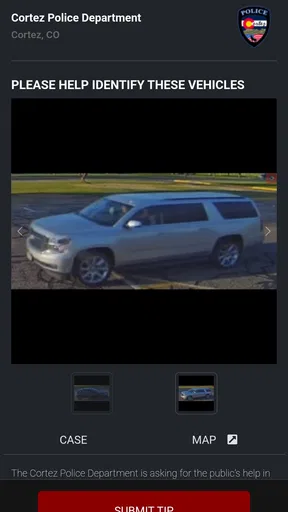
Another feature worth mentioning is the detailed incident reports. Clicking on a pin in the map provides you with a synopsis of the event, time, and date, and sometimes even a case number. If you’re a detail-oriented person like me, you’ll appreciate the depth of information provided. It feels like you’re getting a direct line to the local police blotter.
Worth Reading Before You Choose

EA SPORTS FC Mobile 26 Is a Bigger Football Game, but It Takes Time

Flipboard Shows What News Apps Must Do Beyond the Feed

Switching to Android Auto Means Rethinking Your Driving Routine

Google Calendar Makes a Crowded Week Easier to Manage

Ludo King Makes the Most of the Minutes Between Plans

Baby Panda World Brings Quick Play to Modern Phones, but Its Game Library Feels Busy
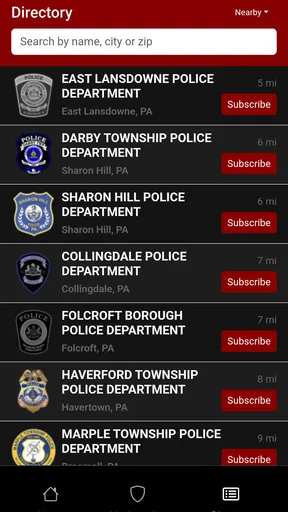
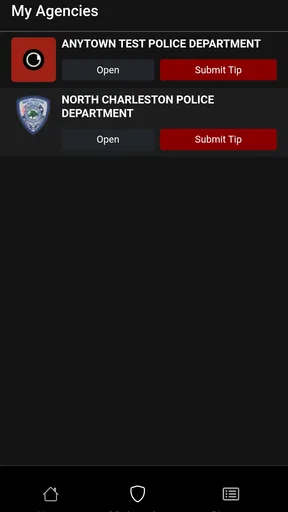
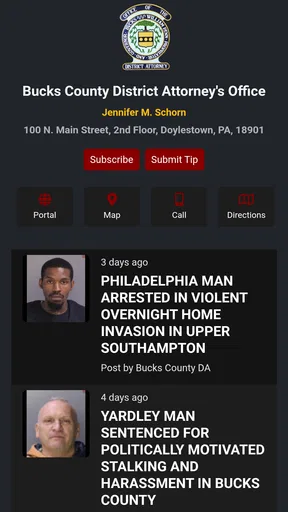
There’s also a community aspect to the app. Users can submit tips directly through the app, which I think is a fantastic way to engage the community in keeping each other informed. It’s easy to see how this feature could be invaluable in fostering a sense of safety and cooperation among neighbors.
A useful routine, not a constant watch
The map and alerts work best when I treat them as a check-in tool rather than something to monitor all day. A quick look before a familiar walk or when I’m planning an evening route can give useful local context; repeatedly refreshing the feed is more likely to make ordinary uncertainty feel alarming. I’d start with a narrow alert radius and only the incident types I genuinely want to follow, then adjust after seeing how relevant the notifications are.
That approach also helps with a common question: do I need to leave notifications on to get value from the app? Not necessarily. If alerts become distracting, the map and reports can still make occasional checks worthwhile. Conversely, someone who needs immediate warnings for personal safety should not assume a crime-reporting feed will arrive quickly enough to serve that role. The reports are useful for awareness, not a replacement for emergency services or direct local guidance.
The User Experience
Now, let’s talk about usability. The app is designed with user-friendliness in mind. The navigation tabs are conveniently located at the bottom, making it easy to switch between different sections like the map, reports, and settings. I didn’t encounter any lag or crashes, which is always a plus in my book.
However, the app isn’t without its quirks. Occasionally, I noticed that some of the incident data was a bit delayed. For those of us who thrive on real-time updates, this can be a bit of a letdown. But, given the app’s other strengths, it’s a minor hiccup that I can overlook.
Where it fits among local news options
Compared with a general news app, this is a narrower tool: it focuses attention on local crime reports rather than asking me to sort through a broad mix of headlines. Compared with neighborhood social media, the incident map and report details offer a more structured way to review information. Social posts can provide residents’ perspectives, but they can also mix firsthand accounts with speculation; I would avoid treating either a post or an app report as the whole story.
For a useful cross-check, I’d read the incident summary carefully, note its date, and look for an official local source when I need confirmation or fuller context. A map pin can make an event feel close, but the underlying details matter: when it happened, what the report actually says, and whether it relates to the route or time I care about. This small habit reduces the chance of reacting to a marker without understanding it.
Keeping the feed useful over time
CRIMEWATCH is free, which makes trying it low-commitment, but the lasting question is whether it earns a regular place on my phone. Its value depends on local relevance and on whether I can use the alerts without letting them become background noise. I’d give it a short trial, check whether the reports cover the places I care about, and then keep only the notifications that support a real routine.
There is also a judgment call around submitting a tip. The community feature gives users a way to pass information along, but I would keep a submission factual and limited to what I directly observed rather than adding guesses about a person’s motives or identity. If something needs immediate attention, I’d contact the appropriate authorities instead of relying on an in-app tip to act as an emergency report.
The app is developed by CRIMEWATCH Technologies and sits in the news and magazines category, although its subject is much more specific than a typical news reader. Its average rating is 3.4 from 232 ratings, with 89 written reviews, so I’d treat public opinion as mixed rather than assuming every user will have the same experience. It has passed 100K installs, is free to use, and carries a Teen content rating. Version 4.0.1 supports devices running Android 7.0 or later.
What Could Be Improved?
While CRIMEWATCH is a solid app, there are a few areas where I think it could enhance its offering. One suggestion would be integrating a social media sharing feature. This would allow users to easily share alerts or information with friends and family outside of the app, potentially broadening the network of informed individuals.
Additionally, a feature that compares crime statistics over time would be insightful. Having access to trends could help users understand if their area is becoming safer or more dangerous, shaping how they respond to incidents.
Those gaps matter more to someone who wants analysis or easy distribution than to someone who simply checks recent reports. Without a clear trend view, I wouldn’t use the app alone to judge whether a neighborhood is improving or worsening. And while sharing may be convenient, I’d still be careful not to circulate an unverified claim as fact. For broader local coverage, established news sources are a better complement; for immediate help, the right choice is direct contact with emergency services.
Does it last beyond the first week?
The novelty of a map full of nearby reports can wear off quickly, especially if the feed is quiet, covers places I rarely visit, or sends more alerts than I find useful. That doesn’t necessarily make the app a failure: a tool like this can be valuable precisely when I need to check a particular area, even if I don’t open it every day. I’d judge it by whether it answers a recurring question for me, not by how often I launch it.
My maintenance routine would be simple: revisit alert preferences when my schedule or usual routes change, and check report dates before drawing conclusions. If the notifications feel stressful or the reports rarely relate to my daily life, I’d turn them down or stop using the app. If I often travel through areas it covers and prefer a focused local feed, keeping it installed may make sense.
Wrapping It Up
All in all, CRIMEWATCH is an impressive tool for anyone looking to stay informed about local crime. Its user-friendly interface, customizable alerts, and community-focused features make it a standout choice in the realm of safety apps. It’s not perfect, but the pros definitely outweigh the cons.
If you’re someone who values being in the know about what’s going on in your neighborhood, I’d say give CRIMEWATCH a try. It’s like having a neighborhood watch right in your pocket. And let's be real, who doesn’t want that kind of peace of mind?
Pros
- User-friendly interface enhances navigation.
- Real-time alerts keep users informed.
- Comprehensive crime data coverage.
- Customizable notification settings.
- Community involvement features included.
Cons
- May drain battery with constant alerts.
- Requires a stable internet connection.
- Limited to specific geographic areas.
- Some features require a subscription.
- Data accuracy depends on local sources.
FAQs for CRIMEWATCH
What is CRIMEWATCH and how does it work?
CRIMEWATCH is an app designed to keep communities informed about local crime and safety updates. It provides real-time alerts, detailed crime maps, and community reports. Users can view nearby incidents, submit tips anonymously, and receive notifications about law enforcement activities in their area, enhancing public awareness and safety.
Is CRIMEWATCH available for both Android and iOS devices?
Yes, CRIMEWATCH is available for download on both Android and iOS platforms. Users can find it on the Google Play Store for Android devices and the Apple App Store for iOS devices. The app is optimized to provide a seamless experience across various smartphones and tablets.
Does CRIMEWATCH require a subscription or is it free to use?
CRIMEWATCH offers a free version that provides basic features essential for community safety. However, there might be premium features available via subscription, offering advanced functionalities such as detailed analytics, custom alerts, and expanded search capabilities for those interested in a more comprehensive service.
How does CRIMEWATCH ensure the privacy and security of its users?
CRIMEWATCH prioritizes user privacy and data security. The app uses encryption to protect user information and allows anonymous tip submissions. It adheres to stringent privacy policies and complies with relevant regulations to ensure that personal data is handled responsibly and securely.
Can I report a crime or suspicious activity through CRIMEWATCH?
Yes, CRIMEWATCH allows users to report crimes or suspicious activities directly through the app. Reports can be submitted anonymously, providing a safe channel for users to communicate with local law enforcement. This feature helps enhance community safety by empowering individuals to actively participate in crime prevention.


